Showing posts with label Technology. Show all posts

Sunday, November 19, 2017

10 Tips For Buying A Used iPhone


To buy a new iPhone, then we need more money to get it, but if you do not trouble with money, then you should buy a new one.

Then how do people who want to have an iPhone, but do not have much money? Buy a used iPhone so it can get it cheaper.

however not everyone dares to buy a secondhand iPhone for fear of counterfeit goods or fear of being deceived, however, before buying an iPhone you should first read this article and at least make it easier for you to get the iPhone you want.

Here are 10 Tips to Buy a Used iPhone

1. Find the iPhone There is still a packing box


How to get to know the iPhone is original and not a replica by entering the serial number here https://checkcoverage.apple.com/ or can also check it in accordance or not with the box packaging

2. Check physical condition, Home button, Power and Volume
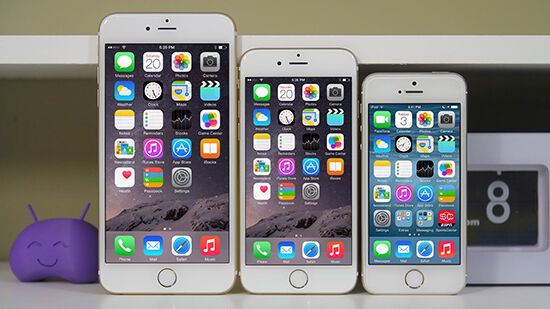
 

Checking the physical condition of the mobile phone is one of the basic in buying used hand phone. Here are the physical conditions you should check

a.Check mobile network and internet by entering SIM card
 

b. Check the home button and its sensitivity, make sure the button is still soft and quick to respond when pressed

c.Check the Touchscreen, you can check the sensitivity or physical condition of the existing touchscreen crack or not


d. Check the power button, make sure it is still normal when pressed


e.Check the Earphone and speakers, Make sure the issued sound is not broken and still normal 

because if the sound broke, then there is the possibility of ever submerged in water

f.Check charger and USB, Make sure there is still a charger and the hole on the USB is not loose because if there is something strange here, then you will be bothered later.


g. Check Audio jack, make sure the sound is not choked up


h.Check connectivity such as Wifi, bluetooth, GPS


i.Check the camera, you can try to do photos with flash and without flash or try to tinker with other things


j.Check battery health, how to Setting> general> usage> battery usage


3. Check the market price


For people who do not have a lot of money of course we should often check the market price because if not do, then we can bid too low and will not be able to get it or offer too high and make us spend more money than usual.

Read this:26 Tips For Buying A Used Smartphone or Handphone

4.Find the existing warranty


Looking for an existing iPhone warranty is already a must and if the official warranty is up, then at least we get a guarantee from the seller for a month to ensure we will not have trouble with the iPhone we buy

If the iPhone still has an official warranty, then check the regional warranty is where the iPhone country is released, example code country for iPhone that you can see in the back of the box:

• MY / A: Malaysia
• LL / A: America
• X / A: Australia
• ZP / A: Singapore, Hongkong•PA / A: Indonesia

5. Operating System can Update


Make sure the iPhone you buy can still update the latest operating system, the problem if it cannot update the operating system, then this will hurt us because it will not get more application support.

6.iCloud in open status


You can check it by going to settings> iCloud and make sure it is empty if there is any, then ask directly to the seller and ask him to issue iCloud at once turn off the Find My iPhone feature so it can not be controlled remotely.

Do reset iCloud password in place when meeting the seller by setting> iCloud> Find My Phone (Will Request iCloud password) then Erase All Contents and Settings in settings

7.Support various SIM cards


iPhone there are two types of SU (Software Unlock) and FU (Factory Unlock), and choose the FU because this model can support all SIM cards in the world

8. Find a new type of iPhone for the long term


If you want to buy the iPhone, then make sure that you buy it is a new type and not old type because by choosing a new type, then we will receive many feature from apple and besides you can sell it so can buy a newer model again

9. Knowing the difference of iPhone every type
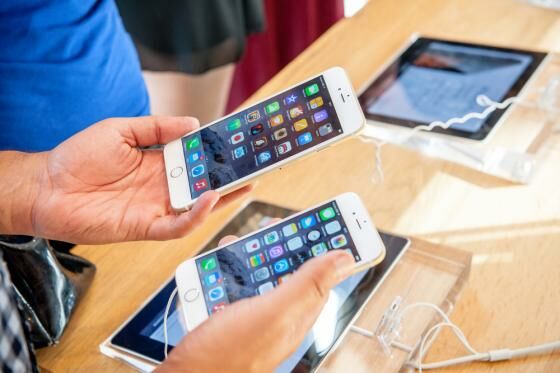

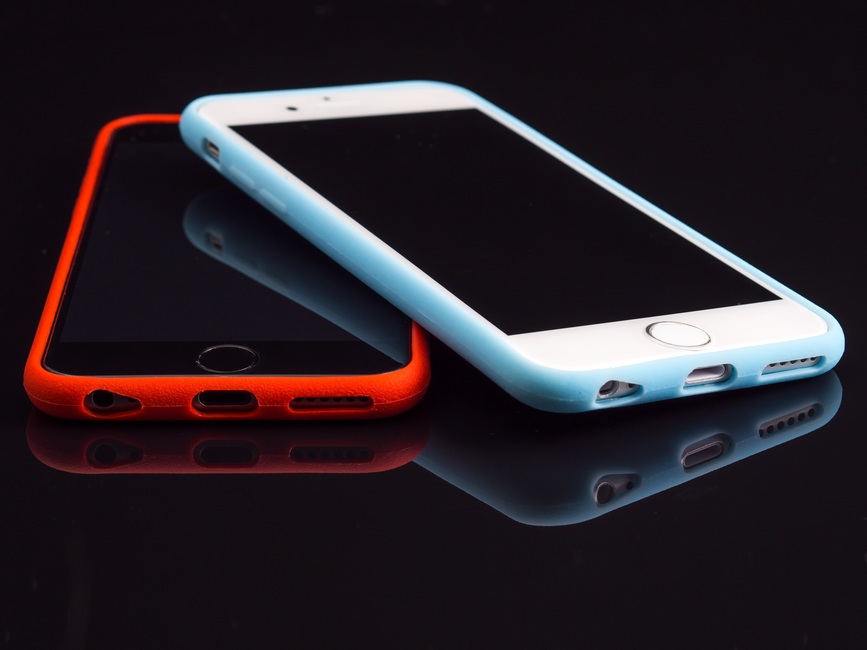
Some of the iPhone is almost similar even distinguish only hole plugs only. Do not want to buy a used iPhone 7 but you get iPhone 6 or iPhone 6s, their designs are the same, but the only difference is the shape of the camera and jack audio. So make sure you recognize the difference of the iPhone of each type

10.Do not buy a stolen IPhone
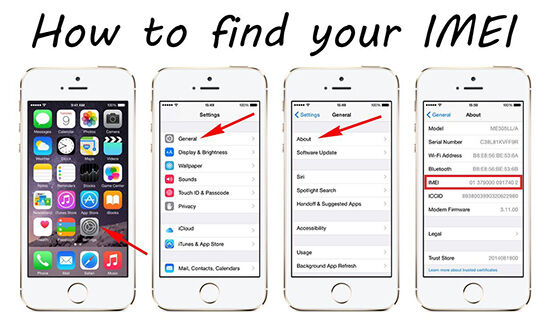

You can check the iPhone is a stolen item or not by going to https://getsupport.apple.com then choose iPhone> Select Battery, Power&Charging> choose Unable to Power On> select Send in for Repair> and select Enter the phone's IMEI / MEID number in the box

If the iPhone is not a stolen item, then IMEI / MEID will be the same as in the settings> general> about that in the iPhone

That's 10 tips to buy a used iPhone, After reading this article, hopefully you can get the desired iPhone. If this article is useful please leave a comment or share this article

Reference: http://www.panduanmac.com/2017/05/membeli-iphone-bekas.html , https://www.lifewire.com/buying-used-iphone-guide-1999296 , https://jalantikus.com/tips/tips-beli-iphone-bekas/

Friday, November 17, 2017

26 Tips For Buying A Used Smartphone or Handphone


In today's economy the needs associated with smartphone communications are grow up. Sometimes we want to buy a quality smartphone, but are plagued with money or do not want to save a lot of money to buy a new smartphone so we want to overcome it by buying a used smartphone.

To buy a used smartphone of course we will experience the name of hesitation for fear of being deceived, the smartphone is not in accordance with the desired or smartphone that can be sold very disappointing As a buyer we do not want to experience bad things when buying used smartphones, so read 26 tips to buy used and quality smartphones so you will not be disappointed when you buy them.

1. Check the price of the smartphone being your targeted

26 Tips For Buying A Used Smartphone or Handphone

First you have to know what smartphone you are looking for and after that, you make sure to check the price smartphone it, you can check it through google, ask the market price to friends, or monitor prices in groups buy and sell

2.Join the Smartphone Sale and Purchase Group in your area


If you have not determined what smartphone you are looking for then the best option is to enter the group selling and buying smartphones in your area on facebook or other social media, but you can also monitor the market of smartphones are often sold and the smartphone market is often purchased

3. Check the Smartphone Specifications you want


After knowing what smartphone you want to buy, then you should first check the specifications and if you can select the specifications according to the needs of smartphones today

4. Check the physical condition of the smartphone before buying

 
26 Tips For Buying A Used Smartphone or Handphone

Check the physical condition of the smartphone you want to buy already there is a scratch or not because with a scratch then you have reason to bid price lower than the market price.

5. Check IMEI Number


Check the IMEI number of your smartphone by typing * # 06 # because it proves the smartphone is genuine

6. Check the smartphone battery can be durable or not


Buy a smartphone, but it can only be used for less than an hour? So, you should first check how much power the smartphone you buy, preferably more than 2000 mAh and make sure the battery can be durable.

Read this:10 Tips For Buying A Used iPhone

7. Check signal reception on smartphone


The signal receiver is one of the most important components of the smartphone, so if the receiver signal is weak should not be bought because it is useless

8. Smartphone still has warranty


If the used smartphone that you buy there is still warranty then it is your lucky because this proves that the smartphone is still not long used

9. Smartphone checks still have paper seals on the bolt or not

26 Tips For Buying A Used Smartphone or Handphone

If the smartphone you bought was not sealed or the seal is lost then it can be ascertained that the item was badly damaged and you cannot trust it

10. Do not rush to buy


The rush is a mistake that is often done by secondhand smartphone buyers because if we hurry, then we will miss the chance of coming another smartphone better and cheaper or we will ignore all the tips to buy a used smartphone here

11. Investigate sellers


If you want to buy a used smartphone from a sale or other group then you should investigate the seller's reputation first if you do not investigate using a real or fake account because by investigating later if there is a problem with the smartphone you bought, then we can easily contact him

12. Invite the Seller to meet directly


Try to meet directly when buying a used smartphone because we can check the goods directly on the spot and we can see the expression of the seller

13. Buy a smartphone that has BNOB

26 Tips For Buying A Used Smartphone or Handphone

BNOB (Brand New Open Box), by buying a smartphone like this is easier to ensure the smartphone condition is fine, but can get it at a lower price.

14. Purchased the Old Stock smartphone


Almost the same as BNOB, the difference is this old stock smartphone is usually not sold out that sold so they will lower the price, but make sure the specifications match smartphones in general in the present day

15. Bid price with 2/3 price offered


Bid price is one of the tricks to get cheaper mobile phones in general and try to bargain with the price of 2/3 the price offered then usually you will get a cheaper price than the price offered

16. Check Smartphone Completeness

26 Tips For Buying A Used Smartphone or Handphone

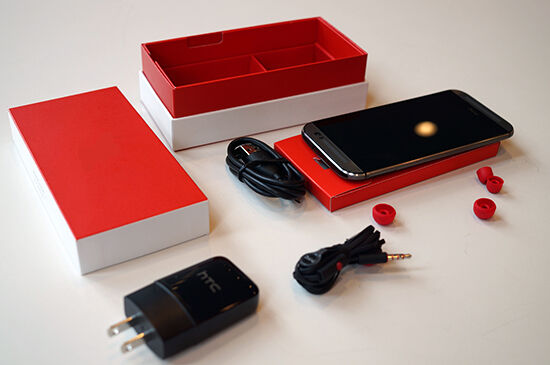
When buying a used smartphone then you should first check the completeness, of the completeness like headset and charger is not there so you can bid cheaper than the market price

17. Make a Safe Transaction


Make a secure transaction here by meeting face-to-face and accompanied by your friends so your friends can check your smartphone want to buy

18. Do Factory Reset the smartphone with the seller

26 Tips For Buying A Used Smartphone or Handphone

When after buying a secondhand smartphone then you should ask the seller to do factory reset on the smartphone so that passwords and things that can harm us can be lost so that the state of the smartphone just as new same the condition of the factory

19. Check your smartphone's authenticity


This is an important part make sure the smartphone you bought is original and not a replica

20. Ask the reason that why he sold it


by asking the reason that why he sold the smartphone, then we can know that he sold the smartphone because it is not a condition of a bad smartphone or something else

21. Check with a secret code


Try checking the smartphone you bought with a secret code like this to know that the condition is still good and not have a problem, here is the secret code according to the brand Samsung galaxy * # 0 * #, xiaomi mi * # * # 64633 # * # *, Asus Zenfone * # * # 4636 # * # *, Oppo * # 801 #

22. Check Booting speed


By checking the speed of booting the faster the smartphone is booting then the better conditions

23. Make sure the smartphone can be in charge


Buying a smartphone, but can not be in the charger then it's useless, otherwise make sure when the charger smartphone is not hot or suddenly filled with fast

24. Find the seller Need money


By looking for sellers who need money, then we can get a cheaper price than usual then this can be called looking for opportunities in the narrowness

25. Ask your friends for help find the used smartphone


Ask your friends for help find the smartphone you want it will be more options in buying used smartphone for cheaper

26.Buy a smartphone that can be sold again

26 Tips For Buying A Used Smartphone or Handphone

Buy a smartphone that can still be sold at a high price because if you get bored with the smartphone, then you can sell it again with high price and buy another

That's 26 Tips to buy used smartphone or used mobile phone, but cheap and good quality, hopefully after reading this article you can get the goods accordingly and satisfy

Reference: https://www.shopback.co.id/blog/berencana-beli-handphone-bekas-ini-10-tips-membeli-handphone-second, https://jalantikus.com/tips/tips-beli-smartphone-bekas/ , http://www.heyriad.com/2016/06/cara-cek-hp-android-bekas-bagus-tidak.html